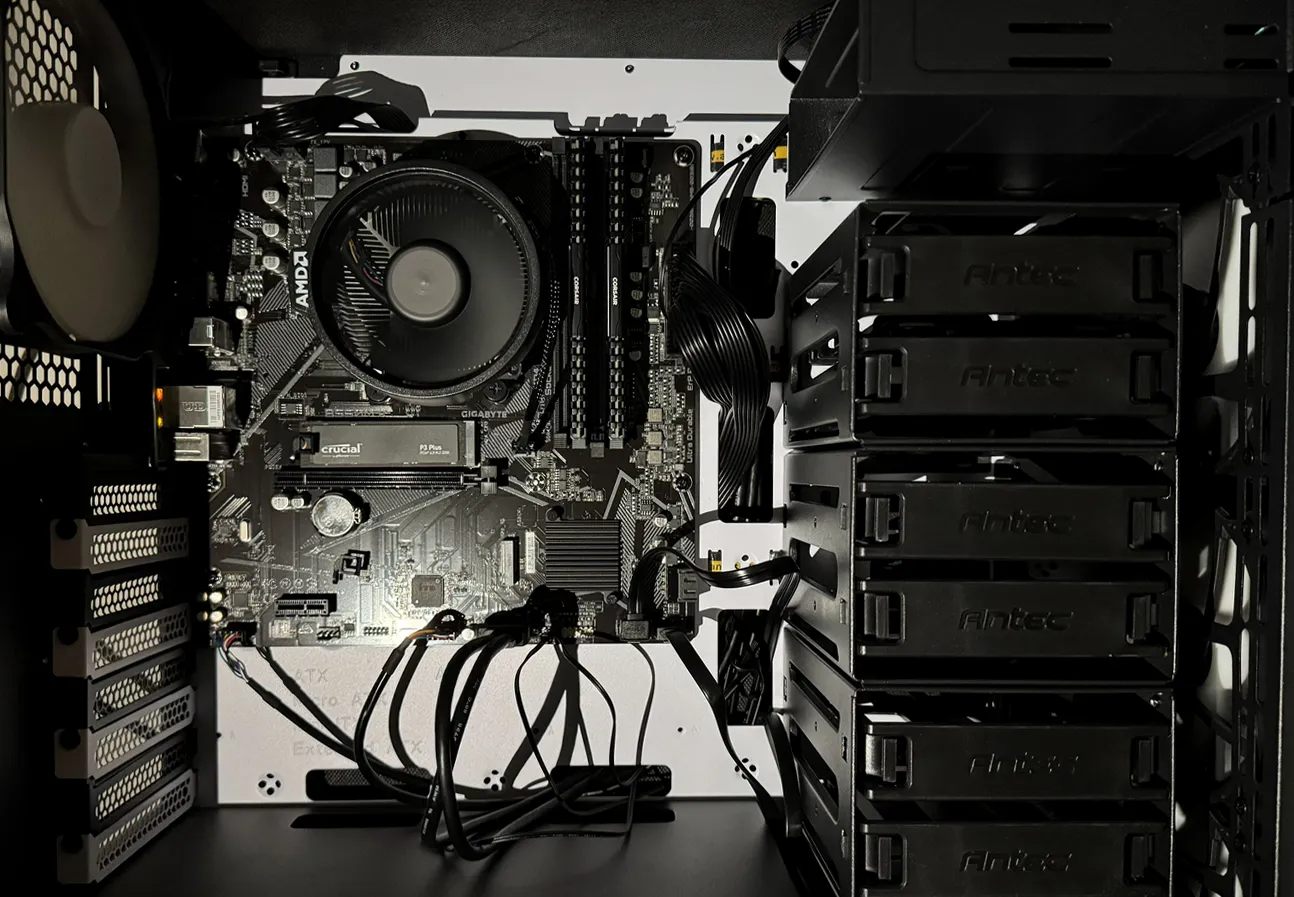
This post documents the complete deployment of my home server from assembling the hardware and installing Linux to securely exposing services over the internet using WireGuard. The goal was to build a secure server for hosting my files, private Git repositories, and game servers.
Throughout this article I'll explain what I configured and why each decision was made but note that the following is only a summary of the steps I took and not intended to be followed as a guide.
System Overview
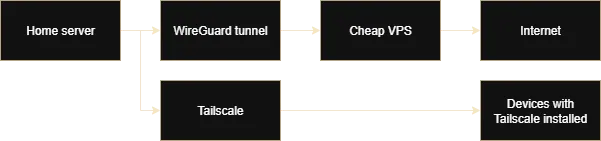
Architecture Diagram
Hardware
- CPU: AMD Ryzen 5 5600GT
- RAM: 32GB DDR4
- Storage: 1TB NVMe SSD, 2x4TB HDD (RAID1)
Software
- OS: Debian 13 ("Trixie") installed headless
- Containerisation: Podman
- Services: NextCloud, Gitea, Jellyfin
- Networking: WireGuard, Tailscale
- Security: Uncomplicated Firewall (UFW), Fail2Ban, Lynis, Wazuh
Picking Parts & Software
I used PC Part Picker to help me plan out the build. For the CPU, I went with the Ryzen 5 5600GT because it balanced power efficiency and affordability whilst being strong enough to run game servers comfortably. Additionally, the integrated graphics on this CPU made setting up the server easier and avoided the added cost, power consumption, and heat of a dedicated graphics card. The only notable downside of the processor is that Jellyfin does not support AMD integrated graphics for hardware acceleration. In addition to the CPU, I chose 32GB DDR4 RAM because it provides enough memory for multiple services and game servers whilst being cheap (at least before the RAM shortage which is when I purchased the parts). I also chose an NVMe SSD for fast boot times and better performance for services and 2 mirrored hard drives to store files with redundancy affordably.
I installed Debian because it was stable, lightweight, and well-supported. I also considered other Linux distros like Fedora Server but ultimately went with Debian because it would be more reliable without the need for constant maintenance. I installed it headlessly so that it would use less system resources and then I installed Podman which I chose over Docker for its daemonless and rootless design which improves security because if an attacker breaks out of the container then they can only access the capabilities of a non-root user. For the services, I chose NextCloud primarily for file storage but also its strong extension support such as NextCloud Office, Gitea for private Git repositories, and Jellyfin for managing my media such as movies and songs.
For security, I used Lynis to perform security audits to find configuration issues and hardening opportunities, UFW to configure the firewall, Fail2Ban to block IP addresses that repeatedly fail login, Wazuh to monitor the server for security threats and log, and Unattended Upgrades to automatically install security updates. This in addition to other hardening steps I took such as securing SSH and disabling root.
I had a difficult time deciding between deploying a WireGuard VPS bridge and Tailscale for accessing my server from the internet. Although I didn't mind setting up WireGuard myself, I ended up going with Tailscale and creating a pre-configured OS image with WireGuard, UFW, etc to deploy on a cloud network if I needed it in the future (e.g. for hosting a large game server as it avoids requiring everyone to install Tailscale and it will be cheaper than the paid Tailscale plans). Ultimately, the Tailscale free plan ended up being a better deal for me than a VPS bridge because the free plan has no data bandwidth limits whilst the cloud provider I would have chosen would've billed me in addition to my usage cost if I exceeded a certain limit which was of particular concern as a VPS bridge processes double the traffic (ingress from the internet and egress from the home server).
Setup
First I assembled the hardware and then I installed the latest stable release of Debian. Notably, I went with an Antec P101 SILENT case because it supports 11 storage drives and has sound-dampening foam which made it perfect for my use case. I installed Cockpit to easily manage the server from my PC and I used the Cockpit Storage extension to easily configure the HDDs in RAID1 (mirroring).
2. User ManagementTo follow the principle of least privilege, I created an admin account and several user accounts for each service. The latter is to limit a potential attacker's capabilities and easily trace logs and usage. I then disabled the root account for easier tracking of administrative actions and reducing the attack surface. I ensured that each user had access only to the file system permissions that it required using chmod and chown to restrict access.
3. ContainerisationI installed Podman for running services in containers because it is rootless and so I gave each service its own user account to minimise attack vectors. Using Podman, I installed NextCloud, Gitea, and Jellyfin, each on its own user account that had access to only what the service required.
4. HardeningI hardened the server's security by implementing strict SSH configurations including key-based authentication, disabled root access, restricted user permissions, and connection timeouts. I installed UFW for firewall management and Fail2Ban to actively mitigate brute-force attempts. Furthermore, I configured unattended-upgrades for automated security patching, utilised Lynis for comprehensive security auditing, and deployed Wazuh to provide SIEM capabilities for automated threat detection and monitoring.
5. NetworkingFor WireGuard, I used VMware Workstation Pro to create a Debian VM that I preconfigured with WireGuard, UFW, Unattended-Upgrades, etc to export as a RAW disk image to allow for easy redeployment on the cloud as needed. This is because I would delete the VPS when I was not actively using it to benefit from the pay-as-you-go model. I configured everything that was needed other than secrets and IPs and I noted down the commands I would need to run so I could follow my own documentation to quickly deploy. Tailscale was much faster to setup, I ran the official installation script and authorised the server.
6. BackupsI setup automated backups such as my databases, compose files, NextCloud user files, and Gitea repositories which I stored on an external SSD.
Issues
During the planning phase, I encountered a roadblock with game server management. I had intended to use the Pelican panel to manage my game servers, however, I found out that Pelican is hard-coded to rely specifically on Docker for its functionality and I could not find reports from other users being successful using Podman-Docker to bypass this. To solve this, rather than installing Docker which would compromise the security benefits of my Podman setup, I developed a custom solution by creating my own Podman templates that replicated the functionality Pelican offers and allowed for managing through Cockpit.